Raymond Hair Salon app screens

Raymond Hair Salon

Scheduling made effortless with online booking

The business stays afloat based on a loyal customer base and referrals through word-of-mouth. Apart from a few customer-taken images on Yelp, there is little online presence which can be perceived as unprofessional and illegitimate.

Product Designer

January – February 2023

User Research
Wireframing
User Testing

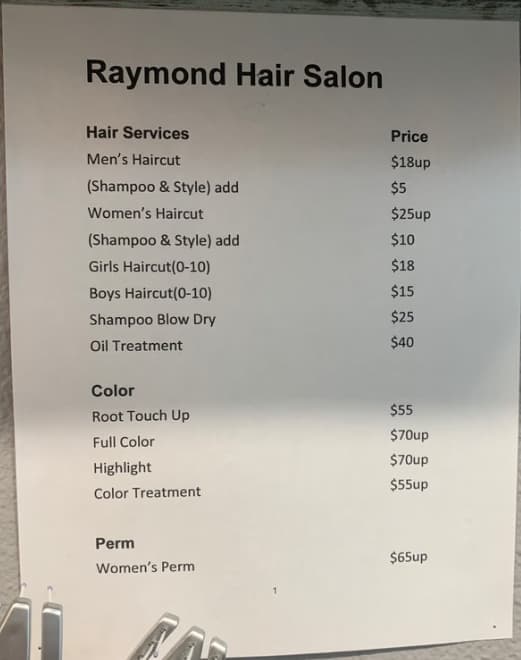
User journey mapCompetitor pricing

An app that automates scheduling and builds presence

My solution for this challenge is to build an application that allows Raymond to interact with his customers while automating scheduling while creating a platform for him to better serve his target audience.

Simple to Use

Approachable design that any age group can pick up and use immediately.

Streamlined Booking

Clear scheduling flow with minimal steps from selection to confirmation.

Direct Connection

Easy access to contact info, location, and hours in one place.

I analyzed two direct and two indirect scheduling apps to evaluate their features. Their focus on functionality over design led to readability issues, missing information, and difficulty locating features.

Competitor analysis

Understanding loyal and new customers

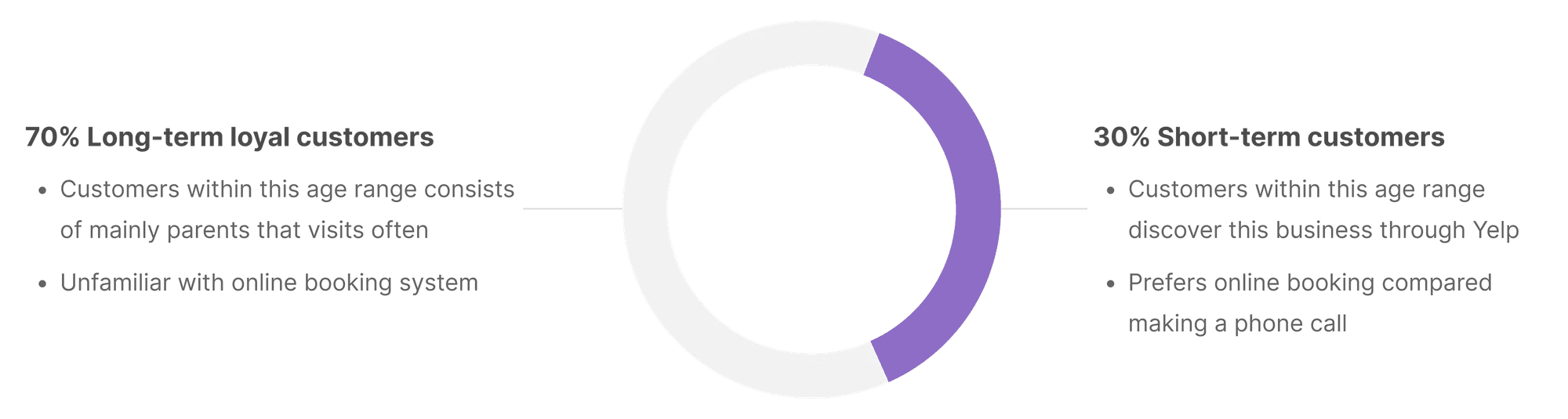
I ran in-person and virtual interviews with long-term and short-term customers, grouping them by age since it shapes how they use the app. Users consistently highlighted three reasons they return: affordable pricing, strong craftsmanship, and friendly service. I also identified several pain points that revealed clear opportunities for improvement. These findings showed the need to segment users by their needs, leading to two main groups: short-term visitors and long-term loyal clients.

Comparison of long-term and short-term customers

Comparison of long-term loyal and short-term customers

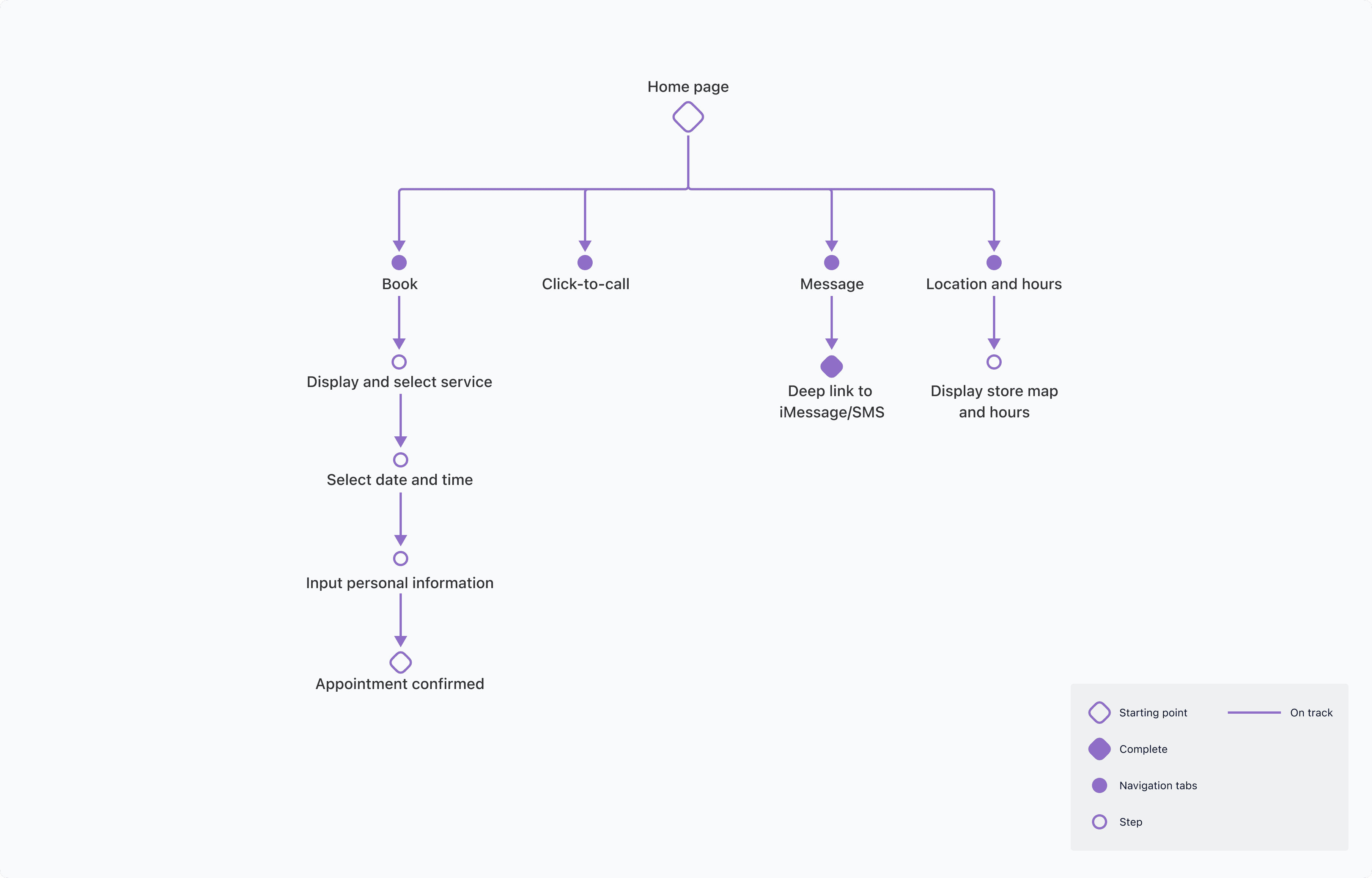
The homepage is built around four essential sub-pages designed to focus on the features users visit most frequently. The contact information page received the most interest, as users liked the streamlined experience to connect with the barber directly.

User journey map

Designing for an older, less tech-savvy audience

Based on my client's concerns and preferences, we concluded that our biggest priority was to create an app that was easy to navigate with no technical bugs. His biggest concern was that his older audience is less inclined to use the app to book appointments because they're a lot less tech-savvy than younger customers.

My objective was to allow users who are less hands-on with technology to easily pick up the app and begin using it. I conducted the Crazy 8's exercise, allowing me to brainstorm ideas and filter which designs suit the business. I concluded that the last frame was the most user-friendly, and provided 4 basic functionalities: Service, Location & Hours, Contact, and Book Appointment.

Paper wireframe 1Paper wireframe 2

Screenshots of paper wireframe flow for the front page of the design

Balancing aesthetics with accessibility

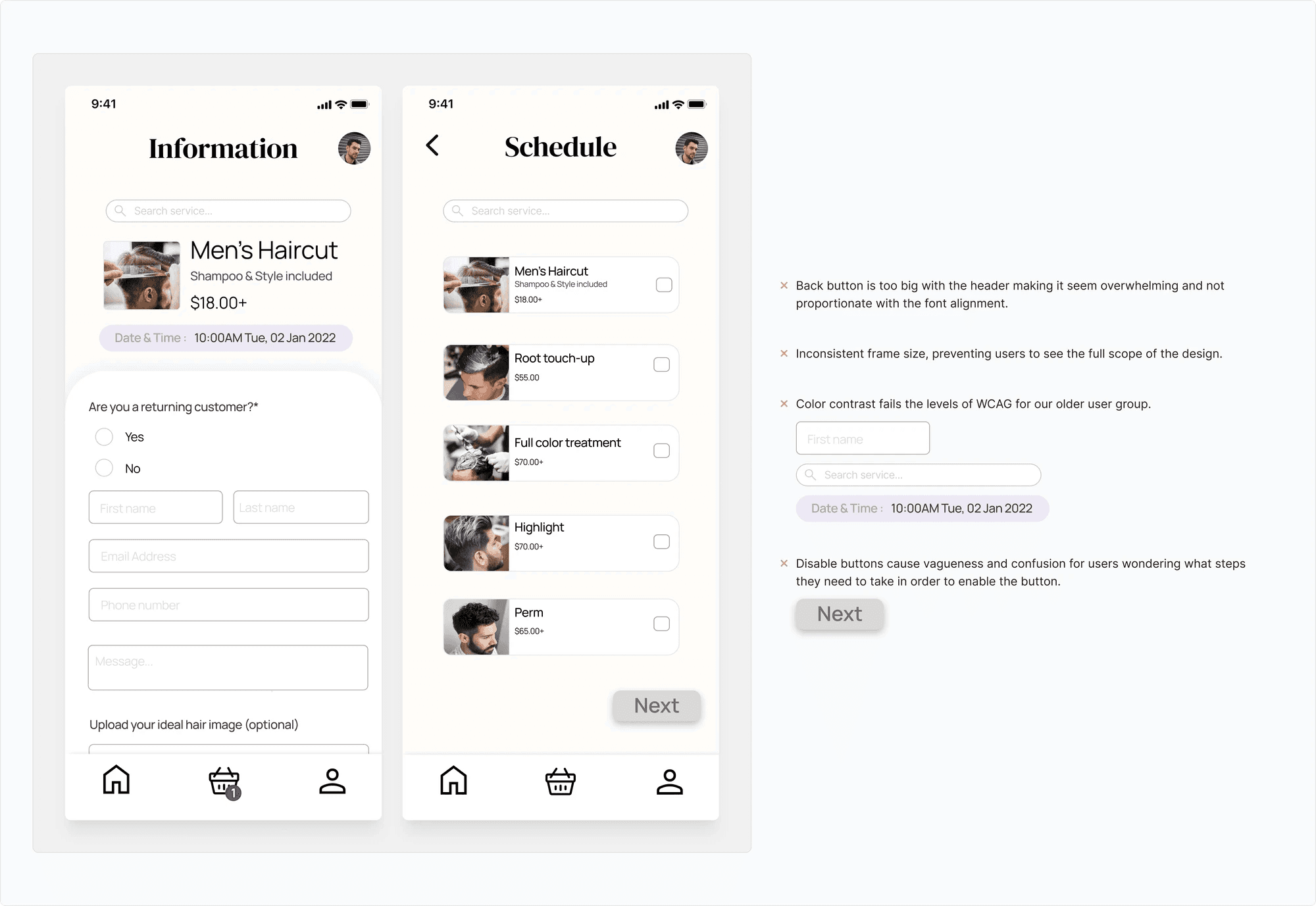
After conducting five user tests, many users had difficulty understanding why disabled buttons didn't allow them to proceed to next steps. Users didn't utilize the schedule and contact features as expected, and the search bar added unnecessary complexity.

My focus on prioritizing a modern and sleek visual design disregarded the basic needs of providing a good user experience for older customers. I found that a few designs were not WCAG-friendly and contained inconsistent design patterns — the search bar was ultimately removed for lower development cost and mobile optimization.

First iteration screensFirst iteration screens 2

Design features oversized buttons that disrupt font alignment, inconsistent frame sizes, insufficient color contrast for older users, and unclear disabled buttons that leave users uncertain.

Clear flows, cohesive experience

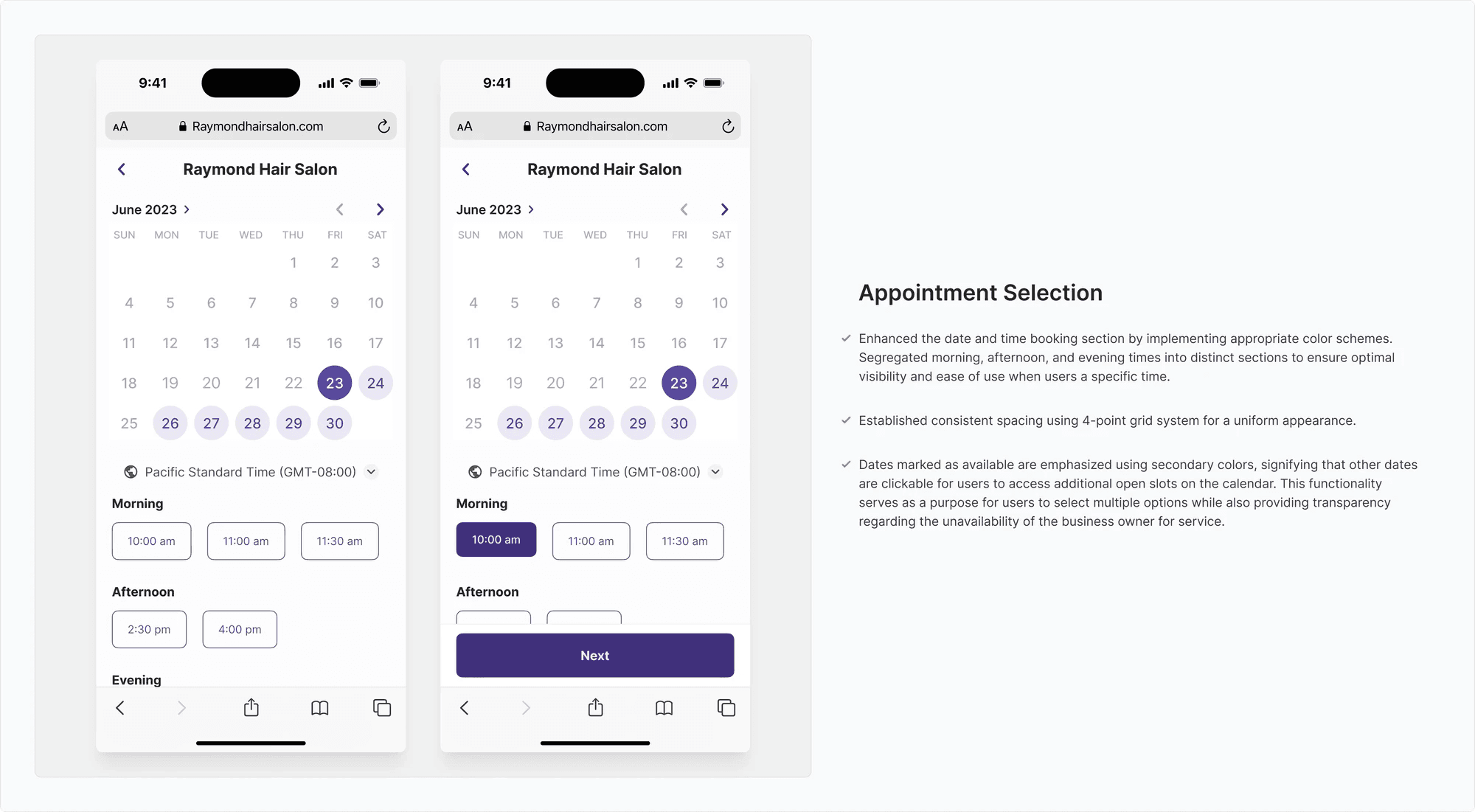
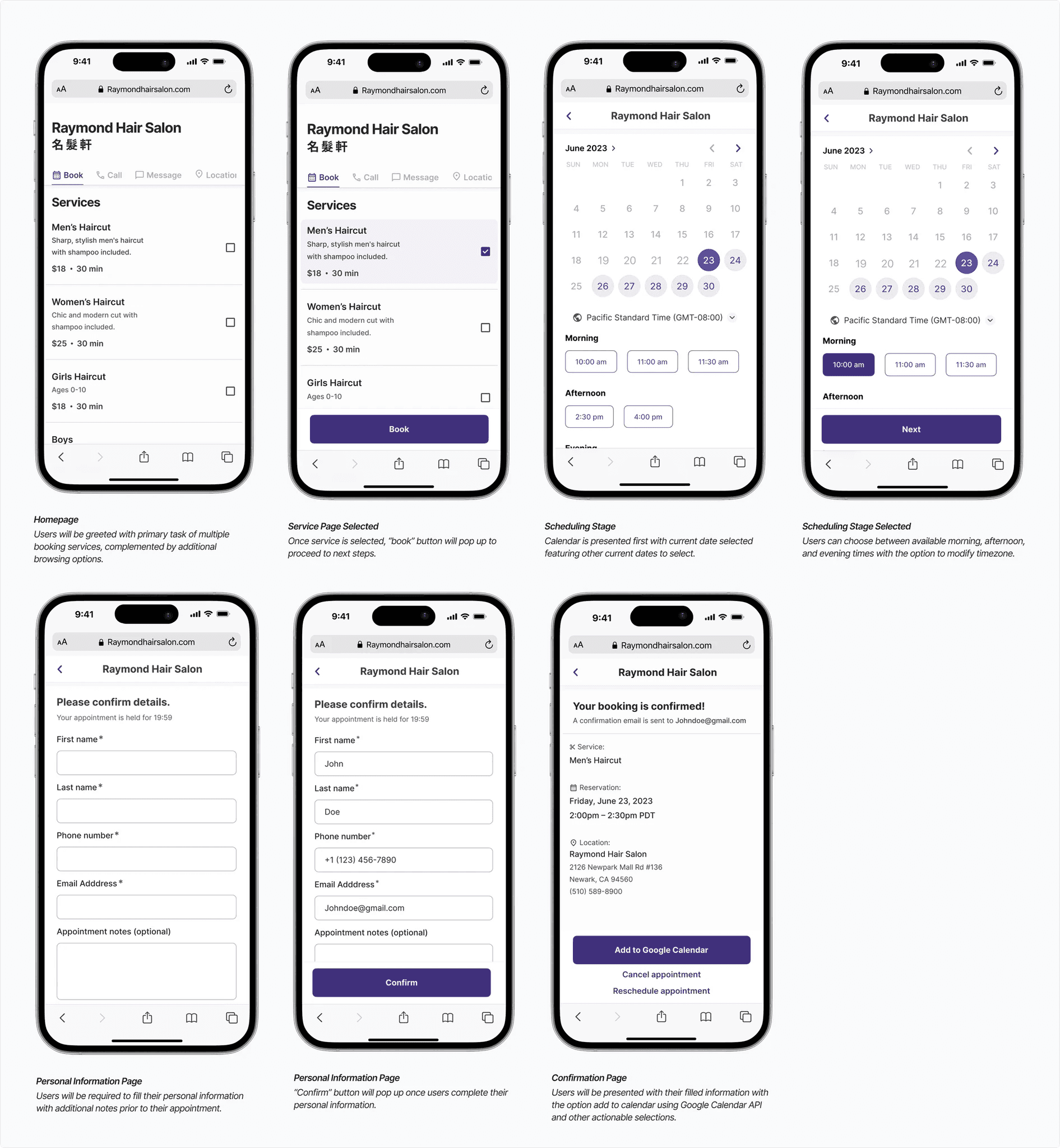
Appointment Selection

Clear and straightforward view of available date and time.

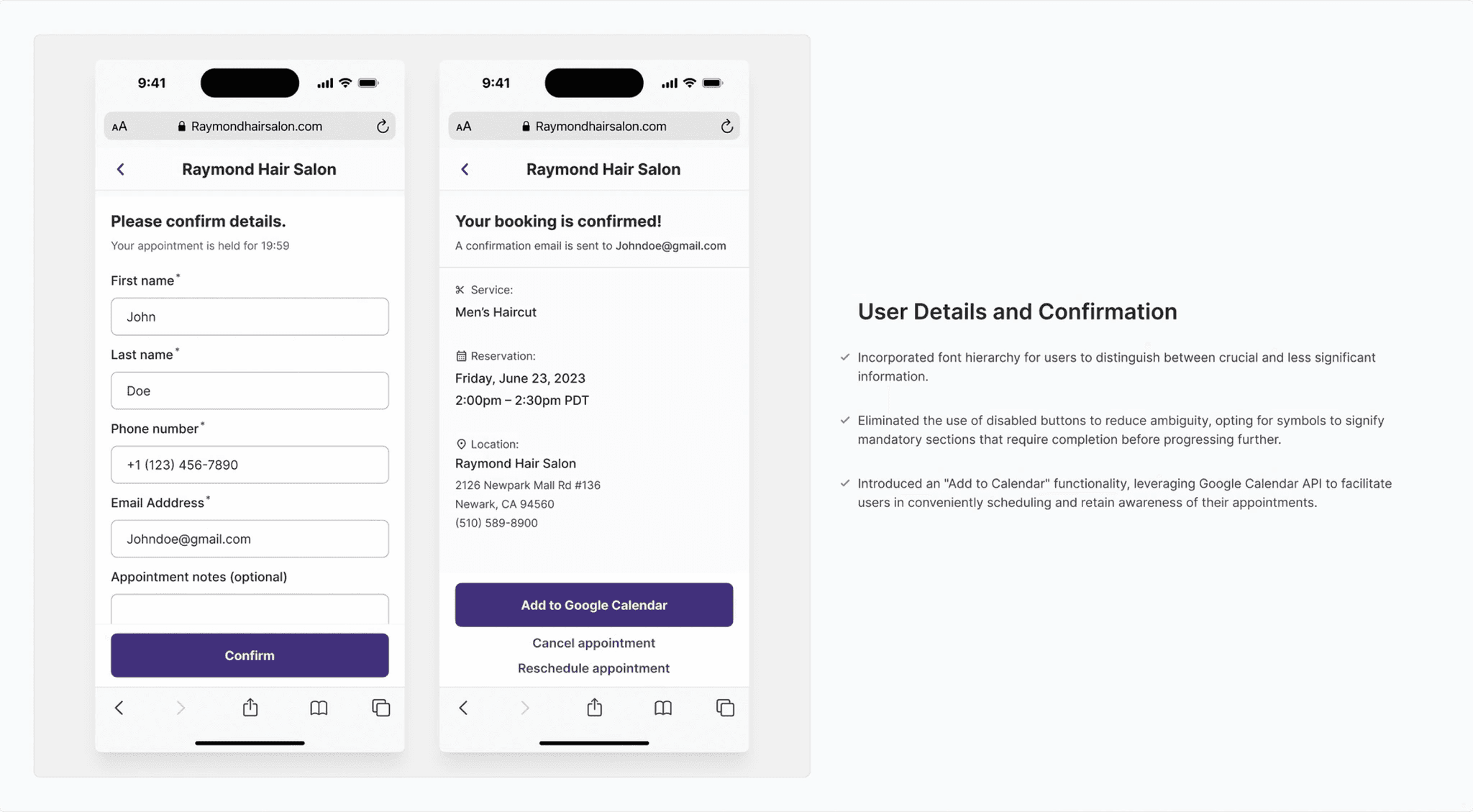
Confirmation Flow

Cohesive flow with easy personal information entry and options to add to calendar, cancel, or reschedule.

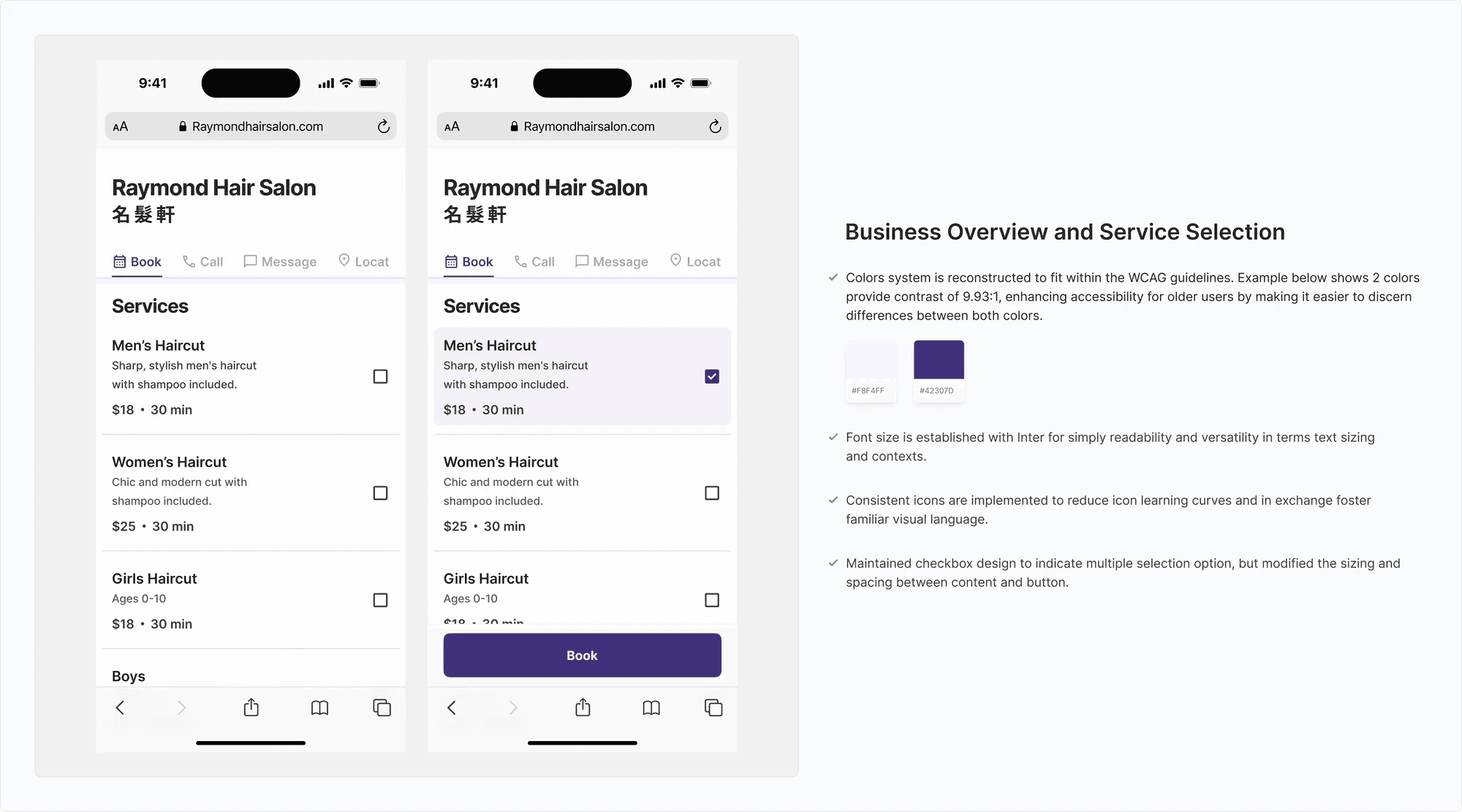
Final design 1Final design 2Final design 3

Intuitive, familiar, and hierarchy-driven

The final design showcases an enhanced scheduling process that's intuitive yet familiar for both existing and newly onboarded users. Establishing a hierarchical design format from most to least important information minimizes frustration associated with continuous searching and facilitates users in reaching their objectives expeditiously.

The incorporation of Google's API features ensures a seamless means for users to receive timely reminders of upcoming appointments, thereby mitigating potential conflicts and miscommunications between the business owner and users.

Final design screens

Learnings

This project was special because I got to sit down and interview with my client's customers. These face-to-face interviews helped me understand their needs, allowing my client to focus on what he does best — cutting hair — while also reducing any frustrations his customers might have.

Next Steps

Moving forward, I would conduct more research on how I could provide better application accessibility for visually impaired individuals. I would like to partner with developers to bring this to life and brainstorm additional ways to boost customer retention.